
CozyWorld guide
Free Mahjong Games for Seniors, No Download
Two free mahjong games, no download, and a Larger text switch in both: Teahouse Mahjong for matching pairs of tiles, and Wisteria Court Mahjong for the real four-player game. Here is what each one is, exactly what the switch changes, and where the tiles do and do not get bigger.
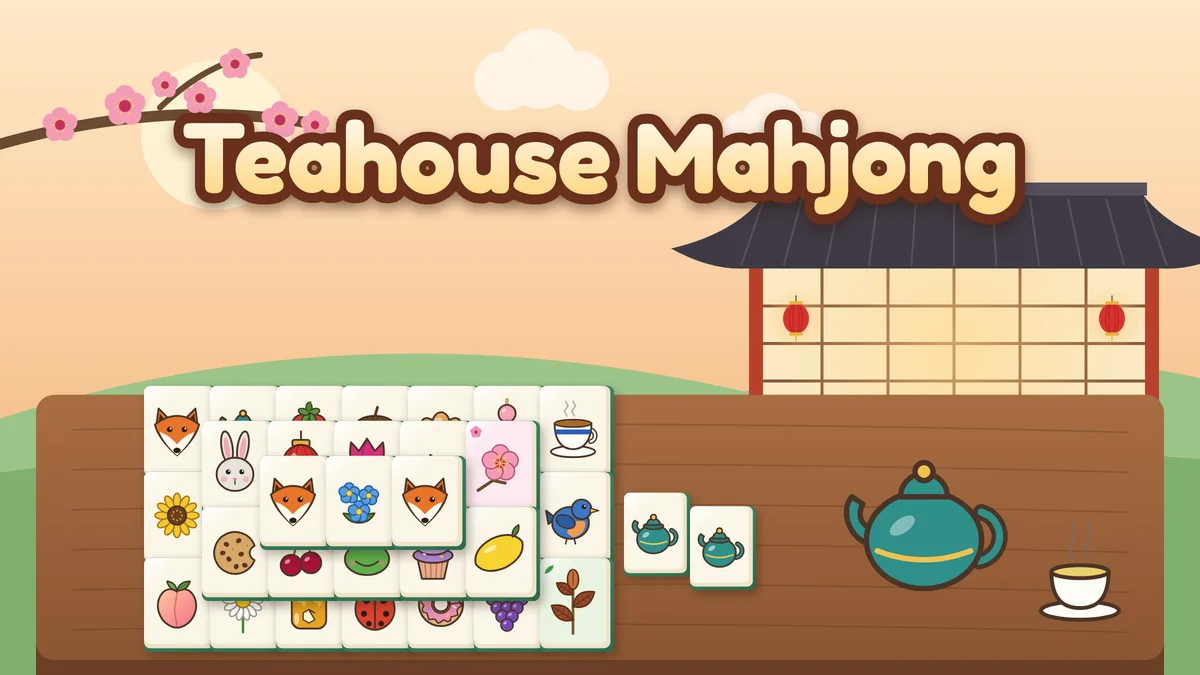
Illustrated cover art for Teahouse Mahjong.
CozyWorld has two free mahjong games, and both have a Larger text switch. Teahouse Mahjong is mahjong solitaire: you match pairs of free tiles to clear stacked boards, with 36 boards in four tea rooms, every deal clearable, and free hints, shuffles and undo. That is the game most people mean when they search for free mahjong games. Wisteria Court Mahjong is the real four-player game, in Hong Kong style or American style, against three computer players, with lessons and a practice card. Larger text gives the tiles bolder faces and bigger corner numbers and makes the counters, buttons and menus bigger; you turn it on with the "A A" Larger text button in the toolbar on a tablet or computer, from the game menu on a phone, or on the Accessibility page.
With only two games, this page can go into detail on each: the boards and the table, the settings that set the pace, and exactly what Larger text changes, including where the tiles themselves get bigger and where they do not. Both games run in a browser with no download and no account.
Play Teahouse Mahjong here
- Price
- Free in the browser, no account or download
- How much
- 36 boards in four tea rooms, with Garden or Classic tiles, and every deal can be cleared
- Timer
- No countdown. The timer only records your best times
- A session
- 3 to 10 minutes a board
- Saves
- Your path through the tea rooms, best times, settings and the board in play, on this device
The two mahjong games side by side
Each row comes from the game’s own page. Larger text is off until you turn it on, and works in the middle of a board or a hand.
| Game | What it is | What Larger text changes | Pace and help |
|---|---|---|---|
| Teahouse Mahjong | Mahjong solitaire: match pairs of free tiles; 36 boards in four tea rooms | Bolder tile faces (heavier outlines, darker ink, deeper colors, bigger pictures), big corner numbers on the Classic set, bigger counters and menus; bigger tiles only on small boards on a tablet or computer | No countdown; every board can be cleared; free Hint, Shuffle and Undo; about 3 to 10 minutes a board |
| Wisteria Court Mahjong | Real four-player mahjong against three computer hosts, Hong Kong or American style | Bold tile faces at the same tile size, numerals or letters about twice the size in tile corners, bigger names, scores, coach line, buttons, cards and lessons; smaller host portraits | Nothing timed; eight lessons, a coach line and hints that explain; three levels; about five minutes a hand |
Teahouse Mahjong is listed as Easy and Wisteria Court Mahjong as Medium.
Featured CozyWorld Games
Start with these free browser games if you want a cozy session without a download or an account. Each card says what kind of play it is, so you can pick the one that fits your mood.
Mahjong solitaire: matching pairs of tiles
Teahouse Mahjong
Match pairs of free tiles to clear 36 stacked boards in four seasonal tea rooms, with illustrated Garden tiles or the traditional Classic set. Every deal can be cleared, and Hint, Shuffle and Undo are free. Nothing counts down.
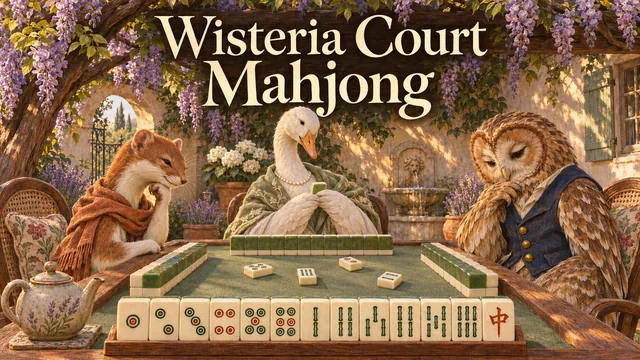
Real mahjong for four, against the computer
Wisteria Court Mahjong
Draw, discard, call pung and build a winning hand against three computer hosts, in Hong Kong style or American style. Eight short lessons, a coach line, hints that explain and three levels help you learn. Nothing is timed.
Mahjong solitaire or four-player mahjong?
These are two different games that share a set of tiles. Mahjong solitaire is a one-player puzzle: tiles lie stacked on a board, and you remove them two at a time by matching a pair of free tiles. Four-player mahjong is a table game: each player holds 13 tiles, draws and discards in turn, can claim a discard to complete a set, and tries to be first to build a winning hand. Most people who search for free mahjong games for seniors want the matching game, which is Teahouse Mahjong. If you want to learn to play at a table, or you already play and want practice, that is Wisteria Court Mahjong.
How to turn on Larger text
Both mahjong games have their own buttons next to the tiles, and the switch is not among them. Teahouse’s Settings button beside the board changes the tile set and the dimming, and Wisteria Court’s Menu on the shelf holds lessons, the score sheet and its own Settings. Larger text lives one level up, in the CozyWorld toolbar above the game: the "A A" button labeled Larger text on a tablet or computer. On a phone, tap the three-line Game menu button at the top left and use the Larger text row there. The Accessibility page has the same switch.
It is off until you turn it on, and you can flip it in the middle of a board or a hand: the tiles are redrawn where they are and nothing is reshuffled. In Teahouse, the first thing to look for is the corner of a Classic tile, where the number doubles in size; in Wisteria Court, it is the hosts’ portraits, which shrink to give the words more room. The setting stays on that device for every game that has the switch, with no account.
Teahouse Mahjong: boards, rooms and help
A tile is free when no tile lies on top of it and at least one side, left or right, has no tile touching it. You tap a free tile to pick it up and tap a free tile that matches, and the pair leaves the board. Most tiles have exactly three twins; the bonus tiles are different, because any two blossoms match and any two tea leaves match (flowers and seasons in the Classic set). Tiles you cannot take yet are gently dimmed, and tapping one explains why it is blocked. You can turn the dimming off in Settings.
The path has 36 hand-designed boards in four tea rooms of nine: the Plum Blossom Room, the Lotus Pavilion, the Maple Room and the Snow Lantern Room. Boards grow from 36 tiles on two layers to 144 tiles on five. Every deal is built backwards from an empty table, so there is always a way to clear it. If you take pairs in an order that leaves you stuck, Shuffle rearranges the tiles left into an arrangement that can be cleared, Hint shows a free pair, and Undo takes back moves. All three are free, and the Pairs count beside the board shows how many free pairs there are. A small leaf marks a board you cleared with no hints or shuffles.
Nothing counts down: the timer only records your best times. Your path, best times, settings and the board in play save on this device, so a reload picks up exactly where you were.
Teahouse Mahjong in large print, and where the tiles do and do not get bigger
Teahouse has two tile sets, and you can switch between them in Settings at any time, even in the middle of a board. Garden tiles are illustrated with fruit, flowers, tea things, woodland animals and baked goods. Classic tiles are the traditional set of dots, bamboo and characters 1 to 9, four winds, three dragons, four flowers and four seasons.
With Larger text on, every tile is redrawn with heavier outlines, darker ink and deeper colors. Garden pictures fill more of each tile. On the Classic set, the dots, bamboo and characters show their number in a big corner numeral, twice the usual size, and the winds’ letters and the flowers’ and seasons’ numbers are just as big. The counters, messages, buttons, cards and menus get bigger too.
On a phone the tiles keep their size and get the clearer faces instead, because every board is already sized to use all the room a phone has for its tiles. On a tablet or computer, the smaller boards also use bigger tiles when the switch is on; on the larger boards, the clearer faces are what the switch adds.
Wisteria Court Mahjong: the real game in two styles
You sit at a table with three computer hosts, Leopold the owl, Beatrix the goose and Imogen the stoat, and play the real game: you draw from a wall, discard, claim tiles for pungs, kongs and chows, and win by completing a hand. Choose Hong Kong style, the classic game of four sets and a pair scored in faan, or American style, with 152 tiles including eight jokers, the Charleston passes before play, and hands built from a card of patterns. American players use a card that changes every year, so this table has its own Wisteria Court Practice Card of 24 hands, written for the game, to learn how a card works.
It is built for newcomers. Eight short lessons teach the tiles, the sets, a winning hand, a turn, scoring, the card, the Charleston and jokers, each with real tiles and a question or two. A coach line under the table explains each choice as it comes up, and Hint suggests a move and says why. The hosts play at three levels (Gentle, Steady and Sharp), and they never look at your tiles. A game is 4, 8 or 16 hands, saved on your device after every move.
Wisteria Court Mahjong in large print
With Larger text on, every tile keeps its size and gets a bold face, with heavier outlines and darker ink. Numbered tiles and winds carry a numeral or letter about twice the size in the corner, now on dots and bamboo too. The names, scores, wall count, coach line, buttons, practice card, scoring table and lessons get bigger, and so do the result cards that follow each hand.
To make that room, the hosts’ portraits get smaller. The tiles stay the same size on every screen, so in this game the switch is for reading the tiles, not enlarging them.
Reading the tiles: suits, winds, dragons and flowers
A Classic set has three suits (dots, bamboo and characters, numbered 1 to 9), four winds, three dragons, four flowers and four seasons. In Wisteria Court, character tiles carry a numeral in the corner and wind tiles a letter, so no tile depends on reading Chinese characters, and the practice card marks suits by color and explains each hand in a sentence. Larger text makes those corner marks bigger.
Teahouse’s Garden set needs no reading at all: its pictures differ in both color and shape, and you can switch to Classic whenever you want to learn the traditional tiles. The tile guide linked below names every tile.
Settings that set the pace
Neither game is timed against you. Teahouse has no countdown, and in Wisteria Court nothing is timed, the table waits while a card is open, and its speed can be set to Relaxed, one of three table speeds. Wisteria Court also lets you choose to discard with one tap or two, play games of 4, 8 or 16 hands, and set the hosts to Gentle for a loose, forgiving table. For Hong Kong style the smallest winning hand is set to Any hand by default.
Both games save on the device you play on. Reduced motion is respected in both, and sound is optional and never needed to play.
Which one to start with
Start with Teahouse Mahjong if you want to match tiles. It is listed as Easy, hints and shuffles are free, and a board takes 3 to 10 minutes. Try Larger text on the Classic set to see the bigger corner numbers.
Start with Wisteria Court Mahjong if you want the table game. Open Lessons on the title card, take the first four, which need about ten minutes, then play Hong Kong style at Gentle. It is listed as Medium and takes about five minutes a hand. If you are curious about the difference between the styles, the style comparison and the rules guides linked below are the places to read.
Quick Picks
Start with the one that matches what you need right now. Each pick is free in your browser.
- Mahjong solitaire: matching pairs of tiles: Teahouse Mahjong
- Real mahjong for four, against the computer: Wisteria Court Mahjong
Choosing between these games
This page lists only CozyWorld games that support the Larger text switch; both of CozyWorld’s mahjong games do. It does not cover other sites’ games.
This page describes the games from their own pages and settings, and nothing here is a claim about anyone’s eyesight, memory or health.
CozyWorld publishes every game in this article. Session lengths, controls and features come from each game's rules and our automated browser checks, not from testing on every device.
Which One Should You Play First?
If you came to match tiles, play Teahouse Mahjong and switch Larger text on. If you came to learn or practice the table game, play Wisteria Court Mahjong. They use the same kind of tiles and need different skills, and you can have both open in your browser without an account.
The guides linked below explain the rules and the tiles in more detail.
Related guides and roundups
FAQ
Show questions
What is the difference between mahjong solitaire and mahjong?
Mahjong solitaire is a one-player puzzle in which you match pairs of free tiles to clear a stacked board. Mahjong is a four-player game in which you draw, discard and build a winning hand. CozyWorld has both: Teahouse Mahjong and Wisteria Court Mahjong.
Is there a free mahjong game with large tiles?
Both CozyWorld mahjong games have a Larger text switch, but the tiles do not simply grow. On a phone the tiles keep their size and their faces get bolder, with bigger corner numbers; on a tablet or computer, Teahouse Mahjong’s smaller boards also use bigger tiles. The counters, buttons and menus get bigger in both.
Do I need to download anything to play?
No. Both open in a browser tab, free and with no sign-in. Teahouse keeps your path through the tea rooms and the board in play in that browser, and Wisteria Court saves the game after every move, so you can close the page in the middle of a hand and carry on later on the same device.
Does it work on a tablet?
Yes. Both games list tablets among their devices, with touch, mouse or keyboard. A tablet shows the full toolbar, so Larger text is the "A A" button there rather than a menu row, and on a tablet Teahouse’s smaller boards are the ones whose tiles grow with the switch on.
Can I make mahjong tiles bigger on a phone?
Not the tiles themselves: every Teahouse board is already sized to give its tiles all the room a phone has, and Wisteria Court keeps its tiles one size. Turn on Larger text in the Game menu and the faces get bolder, numbered tiles get a corner numeral about twice the size, and the counters, buttons and menus get bigger.
Can every Teahouse Mahjong board be cleared?
Yes. Every deal is built backwards from an empty table, so there is always a way to clear it. If you get stuck, Shuffle rearranges the tiles left so the board can still be cleared, and Hint, Shuffle and Undo are free.
I have never played real mahjong. Where do I start?
Open Lessons on the title card of Wisteria Court Mahjong and take the first four, which need about ten minutes. Then play Hong Kong style at Gentle. The coach line explains each choice, and Hint says why it suggests a move.
See Also
Tile matching games come in four kinds, and they play very differently: triple tile match, mahjong solitaire, match 3 and memory pairs. CozyWorld has a free browser game for each, plus two domino and mahjong games for people who searched for tile games more widely.
Free Online Games for Adults: No DownloadGrown-up games that open in a browser tab: classic cards and board games, sudoku, a village whodunit and a village to share, plus the best free game sites run by newspapers and nonprofits.
Best Cozy Puzzle Games to Play in 2026Match mahjong tiles, solve sudoku and killer sudoku, slide 2048 tiles, make 24 from four number cards, sweep a minesweeper board, stitch a nonogram, find hidden words, unscramble a word, fit a jigsaw, rake leaf piles, sort shells, merge fruit or crack firefly codes. Choose a puzzle by the decisions it asks you to make.
Mahjong Hands and Scoring: Hong Kong Faan ChartIn Hong Kong style mahjong a winning hand is worth faan for the patterns in it, and faan turn into points on a doubling table. This guide lists every hand and bonus with its value, from a plain hand of chows to Thirteen Orphans, then shows how faan become points, who pays whom, what a minimum of three faan means, and how three sample hands are scored.