
CozyWorld guide
Word Games for Seniors: Free, Large Print
Three free word games with a Larger text switch: Cottage Word Search, Teasel Lane Word Scramble and Sorrel Row Hangman. Here is how each plays, exactly what the switch changes, which have clocks and daily puzzles, and where to print large print word searches.
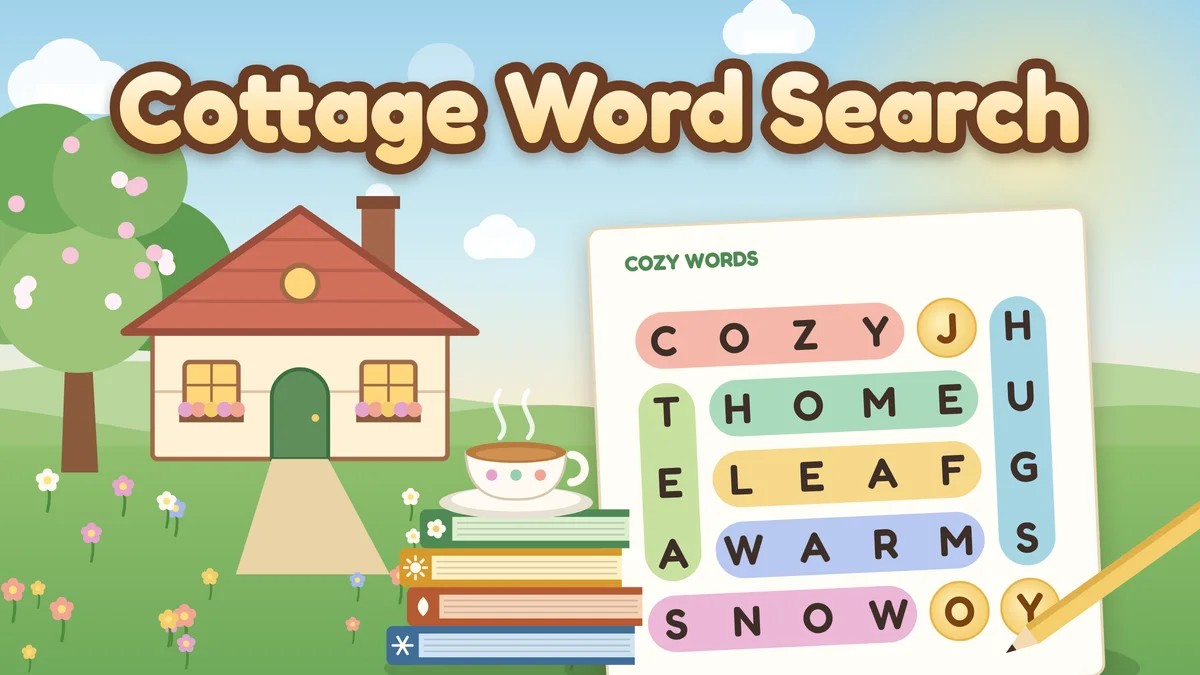
Illustrated cover art for Cottage Word Search.
CozyWorld has three free word games for seniors and other older adults, and all three have a Larger text switch. Cottage Word Search is a word search with 48 themed puzzles, where the leftover letters spell a saying. Teasel Lane Word Scramble shows a word with its letters shuffled and a category clue, and you put them back in order. Sorrel Row Hangman is classic hangman, with a scarecrow in a garden bed in place of the gallows. In all three the switch makes the letters bigger and bolder; it is off until you turn it on, from the "A A" Larger text button in the toolbar on a tablet or computer, the game menu on a phone, or the Accessibility page.
CozyWorld has no crossword game, so none is on this page. Its one crossword is a printable: two large print Christmas crosswords to print or solve on screen, linked at the end of this page. The three games here each run in a browser with no download and no account.
Below you will find how each game plays, exactly what Larger text changes in it, whether it has a clock or a daily puzzle, how hints work and what happens when you are wrong. There is also a section on large print word searches you can print.
Play Cottage Word Search here
- Price
- Free in the browser, no account or download
- How much
- 48 themed puzzles in four seasonal books, each with a saying hidden in the leftover letters
- Timer
- No countdown. The clock only records your time, and there are no lives
- A session
- 3 to 12 minutes a puzzle, by our estimate
- Saves
- Each puzzle you have started or finished, with best times, on this device
The three word games side by side
Each row comes from the game’s own page. Larger text is off until you turn it on, and works in the middle of a puzzle.
| Game | What it is | What Larger text changes | Clock, hints and daily puzzle |
|---|---|---|---|
| Cottage Word Search | Word search: 48 themed puzzles in four seasonal books, with a saying in the leftover letters | Bigger, bolder letters in darker ink on a grid that stays its size; bigger word card, directions line, counters and books; the word card scrolls on a small phone | Clock only records your time; Hint circles a first letter; wrong lines fade with no penalty; no daily puzzle |
| Teasel Lane Word Scramble | Unscramble a word from a category clue; 1,020 puzzles with one answer each, and an unscrambler | Tiles keep their size but get paler oak and bolder letters; the word you spell is over a quarter bigger; bigger clue card, buttons, packs and unscrambler | No clock in any mode; Hint sets the next letter; Skip asks first; Today’s ten each day |
| Sorrel Row Hangman | Hangman with a scarecrow: single words or phrases in seven categories | Taller slate with bigger chalk letters; bigger, bolder seed packet letters with heavier stamps and strikes; misses in bold | No clock in any mode; six or eight misses; Hint costs a miss; Today’s word each day |
Cottage Word Search and Sorrel Row Hangman are listed as Easy and Teasel Lane Word Scramble as Medium.
Featured CozyWorld Games
Start with these free browser games if you want a cozy session without a download or an account. Each card says what kind of play it is, so you can pick the one that fits your mood.
Word search with a hidden saying
Cottage Word Search
Forty-eight themed puzzles in four seasonal books, from 8 by 8 grids in spring to 12 by 12 in winter. Find every listed word, and the leftover letters spell a saying. Wrong lines fade with no penalty.
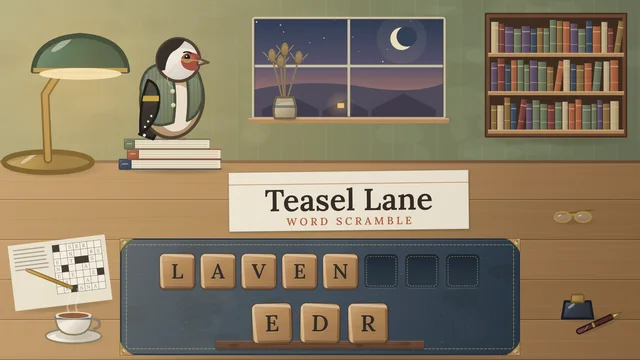
Unscrambling a word from a category clue
Teasel Lane Word Scramble
Put shuffled oak tiles back in order to spell the word, with 1,020 puzzles that each have one answer. No clock in any mode, and an unscrambler on the same page for any letters you give it.
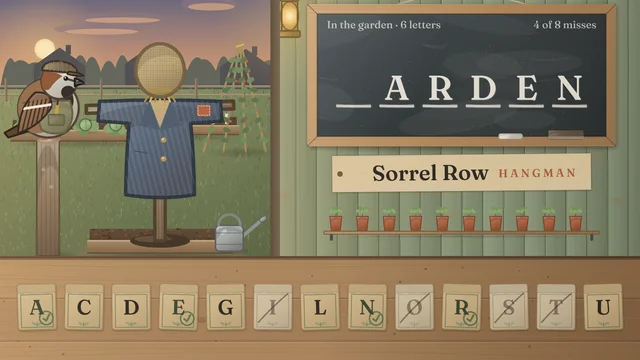
Guessing a word or phrase a letter at a time
Sorrel Row Hangman
Guess the word on the slate before the scarecrow in the bed is finished. Single words or phrases in seven categories, six or eight misses, and a daily word. No clock.
How to turn on Larger text
The scramble and the hangman each have a Menu button of their own, at the bottom of the desk or the front of the bench, for packs, categories, Settings and statistics. Larger text is not there. It is in the CozyWorld toolbar above the game: on a tablet or computer, the "A A" button labeled Larger text; on a phone, a row in the Game menu, which opens from the three-line button at the top left of the game. The Accessibility page has the same switch.
Flip it in the middle of a word and nothing is lost: placed tiles stay in their wells, guessed seed packets keep their stamps, and found words stay circled. In the scramble the first thing you will see is the tiles turning a paler oak with darker letters; in the hangman, the slate growing taller. The choice is kept on that device for every game that has the switch, with no account.
Cottage Word Search in large print
You drag from the first letter of a word to its last in a straight line, or tap the first letter and then the last, and a word can be selected from either end. A found word is circled in colored pencil and crossed off the word card. The four books add directions as the year goes on: Spring Cottage words read across and down, Summer Garden adds diagonals that read left to right, Autumn Harvest adds words that read backward or upward, and Winter Hearth uses all eight directions. A line under the grid always shows which directions are in play, and any puzzle can be played in any order.
With Larger text on, the letters fill more of each square of the grid, in a bolder weight and darker ink, and the grid stays as big as it was. The words on the word card get bigger and bolder, with found words crossed off in a thicker pencil line. The directions line, the word count, the clock, the cards and the puzzle books get bigger too. On a small phone the word card scrolls, and the words you have found move to its end so the ones still to find stay in view.
Hint circles the first letter of the first word in the list you have not found yet. A line that is not a listed word fades away with no penalty. There is a clock, but it only records your best time; there are no lives, and nothing happens when it runs long. There is no daily puzzle in this game. Your puzzles save on this device.
Teasel Lane Word Scramble in large print
A word lies shuffled on a rack of oak tiles, with its category on a clue card, such as In the kitchen or Birds. You tap the tiles, or type the letters, in order, and each goes to the first empty well. Every one of the 1,020 puzzle words was chosen so no other word in the list uses the same letters, so each has a single answer. Easy words have five letters, Medium six or seven and Hard eight to eleven, and every pack is open from the start.
With Larger text on, the tiles keep their size but are cut from paler oak, with bolder letters in darker ink that fill more of each tile, and more again in the wells, where the word you are spelling is over a quarter bigger. The clue card, Winifred’s remarks, the Shuffle, Clear, Hint and Skip buttons, the ribbon when a word is done, the packs, today’s ten, the unscrambler, Settings, statistics and rules get bigger too, and the study wall gets shorter to make the room.
A hint sets the next letter of the word in place, from the left. Skip asks once before it shows the word. If the row you made is not the word, it stays put so you can send a tile or two back and try again, and you only get a gentle remark. Nothing is timed in any mode. Today’s ten is a daily set of ten words, three Easy, four Medium and three Hard, played once each. The unscrambler on the same page takes up to 15 letters, with ? for up to three blanks, and lists every word they make.
Sorrel Row Hangman in large print
The word is chalked on a slate as one blank per letter, with its category above it. You tap a seed packet, or type a letter. A letter in the answer is chalked in everywhere it appears, and one that is not puts up a piece of a scarecrow in the bed. There are 735 single words and 377 phrases in seven categories, chosen as everyday words for grown-ups, with no brand names and nothing offensive.
With Larger text on, the slate grows taller and its chalk letters get bigger; on a phone held upright, less of the garden shows above it. The letters on the seed packets get bigger and bolder in darker ink, and a guessed packet gets a heavier stamp or a heavier strike. The count of misses is written in bold, and the category, Godfrey’s remarks, Hint, Show word, Menu, the ribbon and the sheets get bigger too. On a narrow phone the count of letters or words above the slate gives way before the category is cut, since the blanks show it.
You choose eight misses, the default and the gentler game, or the classic six, when some scarecrow pieces go up two at a time. Hint chalks in the first letter still hidden for the price of one miss. Show word asks once before it gives the answer away. There is no clock in any mode. Today’s word is one single word a day, played once, with a streak.
Large print word searches to print
CozyWorld also has printable word searches, if you would rather use a pencil. The large print word search page prints twelve free puzzles, the Spring Cottage book from Cottage Word Search, on 8 by 8 or 9 by 9 grids with big capital letters, one puzzle to a page. The same puzzles are in the game, so you can check your hidden saying there.
The printable puzzles page goes further: fifteen word search sets, including winter, Christmas, Christmas baking, cozy cabin, Thanksgiving, Hanukkah, New Year, gardening, backyard birds, national parks and coffee. Each is one puzzle to a letter-size page, with the answer key on a page of its own, and you press Print or save it as a PDF. For a first printed puzzle, the page suggests the gardening or coffee set, whose words read only across and down.
Settings that help with reading or pace
None of the three has a clock that counts against you. Cottage Word Search keeps one that only records your time and stops when the game is paused or the tab is hidden, and the scramble and hangman have no clock at all. Cottage Word Search shows the directions in play on the word card, and Teasel Lane lets you turn clue cards face down in Settings if you want a harder game.
All three can be played with a keyboard as well as touch or a mouse: in the scramble and the hangman you can simply type the letters. Each saves your game in the browser on that device. Reduced motion is respected, and sound is optional in all three.
Which one to start with
Start with Cottage Word Search in the Spring Cottage book if you want to circle words in a grid: the words read only across and down. Start with Teasel Lane Word Scramble if you like working out a word from its letters and a category, and try an Easy pack first. Start with Sorrel Row Hangman for the quickest game, a minute or two a word, and choose eight misses.
Quick Picks
Start with the one that matches what you need right now. Each pick is free in your browser.
- Word search with a hidden saying: Cottage Word Search
- Unscrambling a word from a category clue: Teasel Lane Word Scramble
- Guessing a word or phrase a letter at a time: Sorrel Row Hangman
Choosing between these games
This page lists only CozyWorld games that support the Larger text switch, and all three of CozyWorld’s word games of this kind do. It does not cover other sites’ games. CozyWorld has no crossword game; its printable Christmas crossword does not have the switch, so it is linked and not listed.
This page describes the games from their own pages and settings.
CozyWorld publishes every game in this article. Session lengths, controls and features come from each game's rules and our automated browser checks, not from testing on every device.
Which One Should You Play First?
If you want to circle words in a grid, play Cottage Word Search. If you want to rebuild a word from shuffled letters, play Teasel Lane Word Scramble. If you want a letter-by-letter guessing game, play Sorrel Row Hangman. Turn Larger text on in whichever you open, and turn it off again whenever you like.
The guides linked below explain how to approach each game, and the printable pages are there for a pencil and paper afternoon.
Related guides and roundups
FAQ
Show questions
Are there free word games for seniors with large print?
Yes. Cottage Word Search, Teasel Lane Word Scramble and Sorrel Row Hangman are free, run in a browser, and have a Larger text switch that makes the letters bigger and bolder. There is no download and no account.
Is there a large print word search online?
Cottage Word Search has 48 themed puzzles, and with Larger text on the grid’s letters get bigger and bolder in darker ink while the grid stays as big as it was. The word card gets bigger too, and on a small phone it scrolls with found words moved to its end. You can also print large print word searches from the printables pages.
Is there a free crossword?
Not among the games. CozyWorld’s one crossword is a free printable: two large print Christmas crosswords in the criss-cross style, with 32 clues and an answer key, to print or solve on screen. The three word games here are a word search, a word scramble and hangman.
Do any of these word games have a timer?
Cottage Word Search has a clock that only records your time, and nothing happens when it runs long. Teasel Lane Word Scramble and Sorrel Row Hangman have no clock in any mode.
Do I need to download anything or make an account?
No. You play all three in a browser tab, free, with nothing to install. Each keeps your place in that browser: the word search keeps the puzzles you have started, the scramble keeps the tiles where you left them, and the hangman keeps the word on the slate with every letter you have guessed.
Does it work on a tablet?
Yes. All three list desktop, tablet and mobile among their supported devices, with touch, mouse or keyboard. A tablet shows the full toolbar, so the switch is the "A A" button there, and a tablet with a keyboard attached can type letters straight into the scramble and the hangman.
What happens when I guess wrong?
In Cottage Word Search a line that is not a listed word fades away, with no penalty. In Teasel Lane Word Scramble a row that is not the word stays put so you can fix it, with a gentle remark. In Sorrel Row Hangman a wrong letter puts up a piece of the scarecrow, and you lose when it is finished, after six or eight misses as you chose.
See Also
Finished today's Wordle in three and want more? Here are the best Wordle alternatives, from the New York Times' own daily games to Quordle, Waffle, Absurdle and Nerdle, plus eleven free browser puzzles from CozyWorld.
Best Cozy Puzzle Games to Play in 2026Match mahjong tiles, solve sudoku and killer sudoku, slide 2048 tiles, make 24 from four number cards, sweep a minesweeper board, stitch a nonogram, find hidden words, unscramble a word, fit a jigsaw, rake leaf piles, sort shells, merge fruit or crack firefly codes. Choose a puzzle by the decisions it asks you to make.
Relaxing Games: 15 Calming Games to Unwind WithFor a calming game after a long day, try Rainy Day Jigsaw if you like having a picture to work toward, Snowglobe Sort if you enjoy arranging colors, or Linseed Loft Color by Number if you want the next step chosen for you. All three run in a browser without a countdown.
Pencil and Paper Games: 6 Classics to Play FreeTic tac toe, hangman, dots and boxes, four in a row, sudoku and word search: how to play each with a pencil, and a free browser version of every one.