Cozy Classic
Teahouse Mahjong
Match pairs of free tiles to clear stacked boards, and visit four tea rooms through the year.
What you do
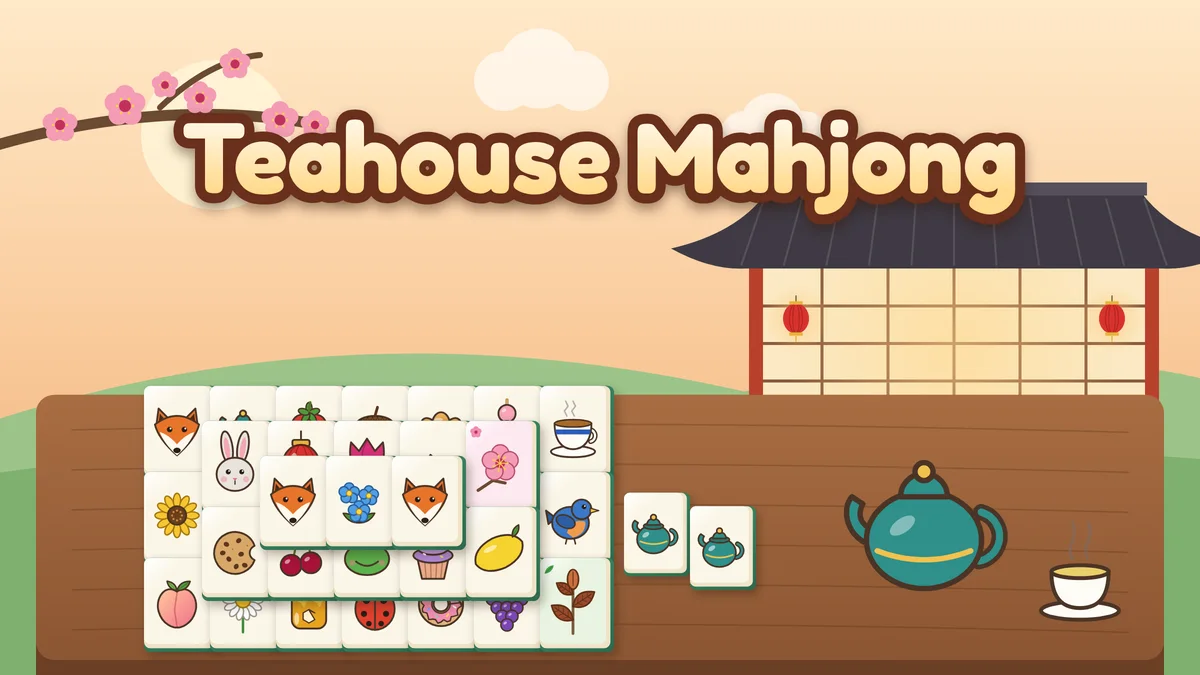
Teahouse Mahjong is mahjong solitaire, the tile-matching puzzle, set in a teahouse in a garden. Tiles are stacked in layers, and a tile is free when nothing lies on top of it and its left or right side is open. Tap two free tiles that match to take them away, and clear every tile to finish the board. The path has 36 hand-designed boards in four tea rooms of nine, one for each season: the Plum Blossom Room, the Lotus Pavilion, the Maple Room and the Snow Lantern Room. Boards grow from 36 tiles on two layers to 144 tiles on five, ending with the Old Tortoise. Play with the illustrated Garden tiles (strawberries, teapots, foxes, croissants and more) or switch to the Classic tiles, the traditional set of dots, bamboo, characters, winds, dragons, flowers and seasons. Every deal is built so it can be cleared. Hints, shuffles and undo are free and unlimited, and when no free pair is left the game offers a shuffle that keeps the board clearable. There is no countdown: the timer only records your best time for each board, and a small leaf marks a board you cleared with no hints or shuffles. Your path, best times, settings and the board in play save on this device.
- Classic mahjong solitaire rules: a tile is free when nothing lies on it and its left or right side is open.
- 36 hand-designed boards in four seasonal tea rooms, growing from 36 tiles to the 144-tile Old Tortoise, each sized to keep tiles large on phones.
- Two tile sets: illustrated Garden tiles with blossoms and tea leaves as bonus groups, or the Classic set with flowers and seasons.
- Every deal can be cleared. Hint, Shuffle and Undo are free and unlimited, and a gentle shuffle is offered whenever no free pair is left.
- No time pressure: best times and a no-helpers leaf for each board, a tea card for each room, and free play with new deals once a board is finished.
How to play
- Press Start playing. The first board opens in the Plum Blossom Room.
- A tile is free when no tile lies on top of it and at least one side, left or right, has no tile touching it. Tiles you cannot take yet are gently dimmed.
- Tap a free tile to pick it up, then tap a free tile that matches it. The pair leaves the board. Tap a tile again to put it down.
- Most tiles have exactly three twins. The bonus tiles are different: any two blossoms match and any two tea leaves match (flowers and seasons in the classic set).
- Clear every tile to finish the board and open the next one. The ninth board of each tea room ends with a tea card.
- Stuck? Hint shows a free pair, Shuffle rearranges the tiles left so the board can still be cleared, and Undo takes back moves. All three are free.
Controls
- Touch or mouse: tap or click a free tile to pick it, then its match. Tap it again to put it down.
- Keyboard: the arrow keys move a cursor between free tiles, Enter or Space picks the tile under it, H shows a hint, S shuffles, U or Z undoes and Escape puts a tile down.
- Use the Hint, Shuffle, Undo, Rooms and Settings buttons beside the board, and the toolbar for pause, help, restarting the board, optional sound and fullscreen.
Tips worth knowing
- Open the long rows first. A row only frees tiles from its ends, so taking end tiles from the longest rows opens the most choices.
- Work on tall stacks early. A tile buried under two or three layers takes the longest to reach, so clear the tiles above it while you still have options.
- When three tiles of a kind are free, think before you pair them. Take the two that free the most tiles and keep the third for its partner.
- Watch for pairs that block each other, such as two matching tiles stacked one on top of the other. Their other twins are the way out.
- Use a hint when the free tiles look like a dead end, or to learn which picture is which. The Pairs count beside the board shows how many free pairs there are.
Accessibility
- Everything can be played with a keyboard: the arrow keys move a visible cursor between free tiles, Enter or Space picks, and H, S and U or Z are hint, shuffle and undo.
- Nothing is timed against you. The timer only records best times, and there is no countdown.
- Tiles you cannot take yet are dimmed (you can turn this off in Settings), and tapping one explains why it is blocked.
- Garden pictures differ in both color and shape, and Classic tiles have large numerals with small corner numbers and letters.
- Reduced motion removes the tile shake, the fade of matched tiles and the hint pulse. Sound is optional and never needed.
Questions
Can every board be cleared?
Yes. Every deal is built backwards from an empty table, placing matching pairs where both tiles would be free, so there is always a way to clear it. You can still get stuck by taking pairs in a different order, and then Shuffle rearranges the tiles left into an arrangement that can be cleared. Hint works from a way through the board whenever it knows one, so following hints from the start of a board never leads to a dead end.
Do hints or shuffles cost anything?
No. Hint, Shuffle and Undo are free and unlimited. A board cleared with no hints or shuffles gets a small leaf next to its best time, and undo does not count against it.
What is the difference between the Garden and Classic tiles?
Only the pictures. Both sets have 34 kinds with four tiles each and two bonus groups of four. Garden tiles show fruit, flowers, tea things, woodland animals and baked goods, with blossoms and tea leaves as the bonus groups. Classic tiles are the traditional set of dots, bamboo and characters 1 to 9, four winds, three dragons, four flowers and four seasons. You can switch in Settings at any time, even in the middle of a board.
Is there a time limit?
No. The timer only records how long a board took, for your best times. It stops while the game is paused, while a menu is open and while the tab is hidden.
What does Teahouse Mahjong save?
Your path through the tea rooms, the best time and leaf for each finished board, your tile set and highlight settings, and the board in play, move by move, so a reload picks up exactly where you were. Restarting from the toolbar starts the current board again with the same deal and keeps everything else.