Cozy Strategy game
Beehive Bloom Defense
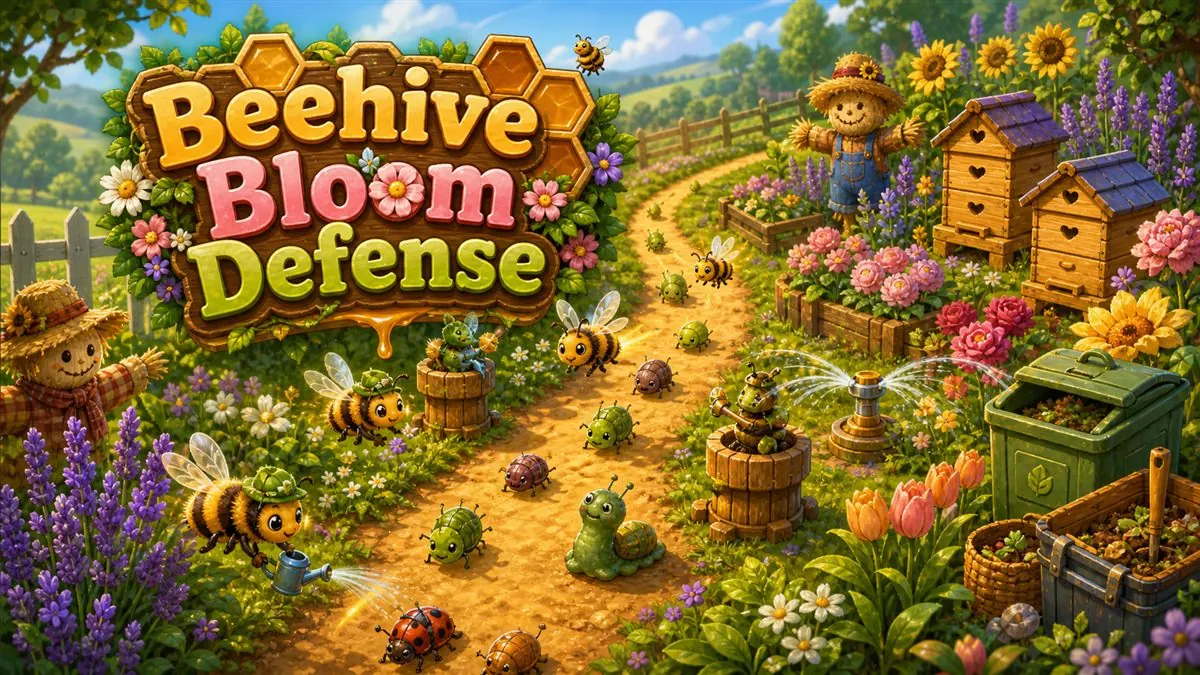
Beehive Bloom Defense is a free cozy tower defense game you can play directly in your browser on CozyWorld. Plant smart, bloom bright. Build a cozy helper layout, guide the bees, and keep the flowerbeds safe through a full garden stand. The round centers on this objective: build a bee-bright garden defense with hives, flowers, sprinklers, and one very serious scarecrow. The first decision is usually to choose a helper from the bottom bar. From there, tap an empty soil patch to place that helper so the game stays readable even when the pace changes. Beehive Bloom Defense has a medium challenge level and usually fits into 6-12 minutes, which makes it useful for a focused cozy break. This guide covers the objective, controls, scoring, difficulty curve, and practical tips before you press play.
Quick details
- Genre
- Cozy Strategy
- Play style
- cozy tower defense game
- Difficulty
- Medium
- Session length
- 6-12 minutes
- Controls
- Keyboard, Mouse, Touch
- Best played on
- Desktop, Tablet, Mobile
- Best for
- garden defense game
- Last updated
- 2026-05-04
What Is Beehive Bloom Defense?
Beehive Bloom Defense is a garden strategy game about turning a winding path into a tiny living fortress. Set out bee hives, lavender, sunflowers, sprinklers, scarecrows, and compost bins, then watch the flowerbeds hold their ground against pests and one very rude weed. Beehive Bloom Defense gives players a clear objective, visible feedback, and a theme that changes how each move feels. The round stays easier to read when you know what to watch for: a full Garden Stand against ten waves of pests and a Big Bad Weed finale. Six placeable helpers: Bee Hive, Lavender, Sunflower, Sprinkler, Scarecrow, and Compost Bin. Nectar-powered helper improvements that make the garden feel busier and brighter. Aphids, slugs, beetles, weed runners, crows, and a boss pest. Large helper cards that are easy to tap while the path gets crowded. Portrait tablet map with aligned paths and helper pads. Use this page to understand the game before you press play, then jump in for a few calm minutes.
How to Play Beehive Bloom Defense
Start Beehive Bloom Defense by checking the visible goal and making the opening move: choose a helper from the bottom bar. Tap an empty soil patch to place that helper.
During a Beehive Bloom Defense session, watch the little cues the game puts in front of you: a full Garden Stand against ten waves of pests and a Big Bad Weed finale. six placeable helpers: Bee Hive, Lavender, Sunflower, Sprinkler, Scarecrow, and Compost Bin. A cleaner round usually comes from noticing those cues early instead of rushing the first available action.
Stop pests before they reach the flowerbeds. Spend nectar between waves so your favorite corner of the garden can carry the next rush. Use restart when you spot a better route, want a cleaner score, or simply want another short round with the same rules fresh in mind.
Controls
On touch screens, Beehive Bloom Defense keeps the main touch control simple: the visible on-screen controls. Tablet play is often comfortable because the objects and controls have more room than they do on a phone.
Keyboard players can use the listed Beehive Bloom Defense keys where the game supports them: Mouse or touch: select helpers, place them, upgrade them, and start waves. Keyboard: Space or Enter starts the next wave. Keyboard: R restarts the garden stand. Shared toolbar: pause, restart, mute, or share.
On desktop, Beehive Bloom Defense gives you the most precise pointer and keyboard control. On phone, keep sessions short and use the orientation that gives the play area the most room.
- Mouse or touch: select helpers, place them, upgrade them, and start waves.
- Keyboard: Space or Enter starts the next wave.
- Keyboard: R restarts the garden stand.
- Shared toolbar: pause, restart, mute, or share.
Scoring and Goals
Beehive Bloom Defense rewards steadier play through the goals the game shows on screen. One useful scoring habit is: Compost bins are quiet heroes; they do not stop pests, but they keep the garden funded. Mistakes are easiest to recover from when you notice the feedback immediately, restart quickly when needed, and use the visible controls instead of fighting the browser.
Difficulty Notes
Beehive Bloom Defense becomes more demanding as the game starts to test this advice: Lavender is strongest near tight bends in the path. The difficulty is listed as Medium, but the practical challenge is learning which cue to trust first and when a slower move gives you a better result.
Why It Feels Cozy
Beehive Bloom Defense fits CozyWorld because it keeps the goal readable while giving the theme room to matter. Plant smart, bloom bright. Build a cozy helper layout, guide the bees, and keep the flowerbeds safe through a full garden stand. The short session length makes it feel like a break rather than a commitment, and the best moments come from noticing a detail, choosing a calmer move, or improving one specific part of your previous run.
Tips to Get a Better Score
- Compost bins are quiet heroes; they do not stop pests, but they keep the garden funded.
- Lavender is strongest near tight bends in the path.
- Scarecrows are the best answer to crows.
- Sunflowers boost nearby helpers, so place them near your main cluster.
- Choose a helper from the bottom bar.
Best screen setup
Beehive Bloom Defense is a strong tablet pick because the larger screen gives its board, objects, and buttons enough room. Desktop is useful when you want extra precision, while phone play works best for quick rounds if the screen feels comfortable.
Who should play Beehive Bloom Defense?
- Players who want a medium cozy strategy game without installing an app.
- Cozy game fans looking for garden defense game and a clear short-session goal.
- Casual players who like visible instructions, quick restarts, and browser play.
- Anyone who wants a game that fits 6-12 minutes instead of a long campaign.
Related Cozy Games
If Beehive Bloom Defense fits your mood, these CozyWorld games are good next stops.
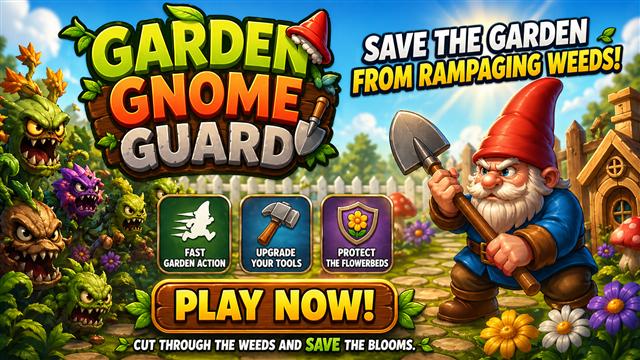
Garden Gnome Guard
Guide a tiny garden gnome through buzzing tools, flying seeds, and flowerbed trouble.
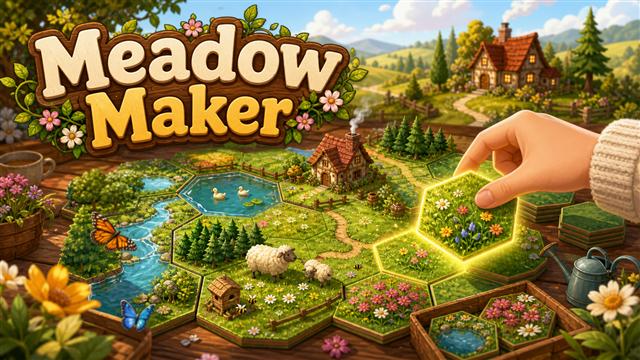
Play Garden Gnome GuardMeadow Maker
Place hex meadow tiles, match terrain edges, complete nature quests, and keep the countryside growing.
Play Meadow MakerGarden Putt
Putt through flowerbeds, mushrooms, ponds, spinning windmills, bees, and tiny garden trick shots.
Play Garden Putt FAQ
Show questions
Is Beehive Bloom Defense free to play?
Beehive Bloom Defense is free to play on CozyWorld. Open the play page and settle in. There is no account, download, or purchase step attached to the game.
Can I play Beehive Bloom Defense without downloading an app?
Yes. Beehive Bloom Defense opens in a modern browser with no app download. If the game does not open, check that browser scripts are enabled and try refreshing.
Is Beehive Bloom Defense good on tablet?
Yes. Beehive Bloom Defense is a good tablet fit because the larger screen gives its cozy strategy play area room to breathe. It is especially useful when phone controls feel cramped.
What do you do in Beehive Bloom Defense?
In Beehive Bloom Defense, the main objective is to build a bee-bright garden defense with hives, flowers, sprinklers, and one very serious scarecrow. A useful starting rule is: Compost bins are quiet heroes; they do not stop pests, but they keep the garden funded. Lavender is strongest near tight bends in the path.
Is Beehive Bloom Defense safe for casual play?
Cozy garden defense with cute pests and soft flowerbed health, no graphic violence, purchases, chat, accounts, or user-generated content. Beehive Bloom Defense is a single-player browser game with no public chat or user-generated content.
Update notes
2026-05-03: Opened Beehive Bloom Defense with helper placement, garden pests, nectar improvements, and a Big Bad Weed finale. 2026-05-04: Smoothed helper placement, path coverage, and wave pacing so the garden reads more clearly.
Play notes
Pause and restart controls stay close by. Instructions and controls are available as page text outside the canvas. Helpers and pests use distinct silhouettes, colors, and labels in the UI. The play page also keeps pause, restart, and helpful instructions close by where the game supports them.