
CozyWorld game guide · By CozyWorld
This guide covers our own game, written from the current game rules and browser checks.
Mossy Stack: Keep Your Tower Wide Enough for the Last Drop
Every landing leaves you a little more, or a little less, room for the next one. The useful skill is protecting your tower’s width before the blocks get faster.
Mossy Stack is our one-button woodland stacking game. Drop ten moving blocks onto a tower without missing. An off-center landing trims away the overhang, leaving a narrower block for your next attempt. Close alignment preserves the moving log’s width. Hard and Expert add faster movement and a natural reduction in each new log’s width, so even a perfect tower tapers. That makes an early careful drop useful all the way up the tower.

Watch the top, then drop
Choose a difficulty, then Start stacking. A mossy wooden block moves back and forth above the base. Tap anywhere on the board or use Drop block when the moving block lines up with the top of your tower. The tap fixes its horizontal position immediately. You do not steer a falling block afterward.
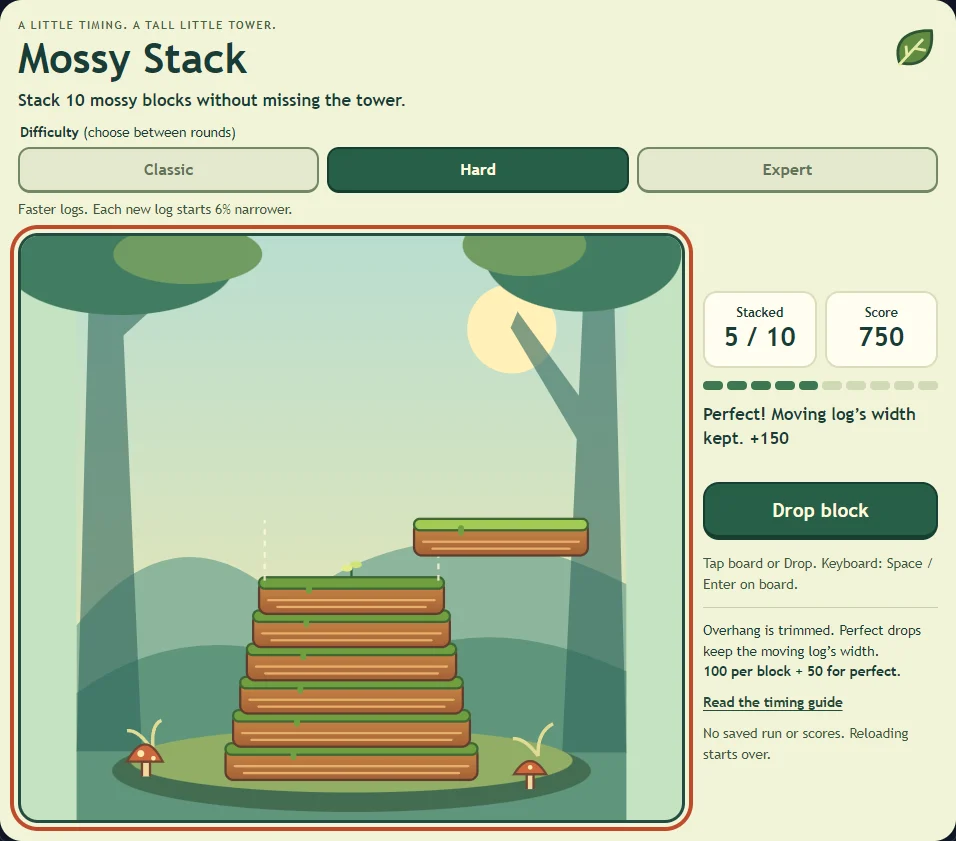
Look at the two edges of the top supporting block. The older, wider blocks below it no longer decide what will fit. Pale dotted guides show where the moving log’s edges should land for a centered Perfect. On Hard and Expert they sit inside the wider support. After a landing, there is a brief settling pause before the next block starts from the other side.
Why a small overhang matters
Only the overlapping part of a normal landing survives. In Classic, the next moving block has that surviving width. For example, take a block 220 board units wide and drop it 30 units to the right of its support. It keeps 190 units of width and earns 100 points. A later Perfect landing preserves those 190 units; it does not grow the block back to 220.
A landing within six logical board units of centered alignment, with some overlap, snaps to the center of the support and earns Perfect. These are coordinates on the game’s 480-unit board, not a fixed number of pixels on your phone. The same rules scale with the board. A complete miss leaves no overlap and ends the round.
Pick your pace: Classic, Hard, or Expert
Classic keeps the original pace: 90 board units per second on the first log, rising to 171 on the tenth. Hard starts at 140 and reaches 248. Expert starts at 190 and reaches 334. Every mode has the same ten-drop goal and scoring, so compare your results within the same difficulty.
Hard makes every incoming log 6% narrower than the support beneath it. Expert makes it 10% narrower. This happens when a log arrives, including the first one; it does not keep shrinking while you wait. Overhang can still remove more width. Perfect prevents that extra trim but never reverses the natural narrowing.
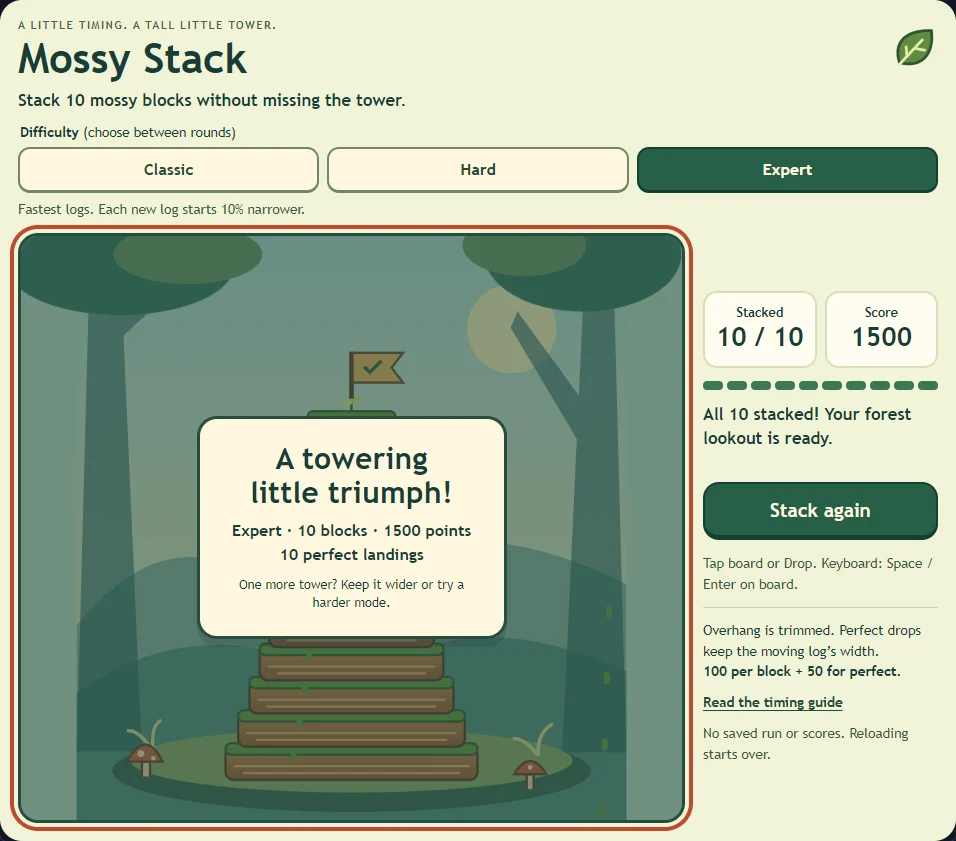
For an Expert example, the 220-unit base receives a 198-unit first log. Center it perfectly and the second log arrives at 178.2 units. Ten Perfect drops leave a top about 76.7 units wide, compared with about 118.5 on Hard and 220 on Classic. Aim at the dotted guides, rather than matching the outer edges of the wider support.
The difficulty buttons are available before starting and after a win or miss. Stack again and Restart keep the selected mode. Reloading returns to Classic. Try completing Classic before moving to Hard, then use Expert when its faster crossings feel manageable.
Scoring and the ten-block finish
Each successful drop earns 100 points. A Perfect drop adds 50, making 150 for that landing. Ten Perfect landings therefore finish at 1,500 points. Nine Perfect landings and one ordinary landing finish at 1,450. A miss earns nothing and keeps the points already earned.
The block’s speed increases after each successful landing. There is no countdown, penalty for waiting, or requirement to drop on the first pass. Finish all ten blocks to see your completed tower and total. Stack again or the toolbar’s Restart starts a fresh tower with zero points.
Three ways to make the next landing easier
Protect width on the early drops. The first block moves more slowly and the base is generous. Use those early passes to learn the timing instead of accepting a large trim just to get moving.
Let an awkward pass go. The block returns, with no score penalty for waiting. Watch it approach the guide from one direction, then commit when the moving edges meet the dotted guides. Do not assume the rhythm from an earlier layer still fits: later blocks move faster.
Keep your finger near the large button, or tap the board away from the block. You do not have to hit the moving object itself. This leaves the landing edges visible on a touch screen. Rapid extra taps during the settling pause do not place another block.
Controls, short sessions, and breaks
Mouse and touch use the board or the large button. For keyboard play, focus the board and press Space or Enter, or Tab to the labeled button. The toolbar provides pause, help, restart, optional sound, and fullscreen. Pause freezes the current block. Opening help while paused does not resume it.
A round is intended for about one to three minutes, but a miss can end it sooner and waiting can make it longer. No run or high score is saved. Keep the tab open and use Pause to take a break; reloading or closing starts over. Other games’ saved progress is left alone.
The layout has been checked in desktop Chrome and phone and tablet browser emulation, including both tablet orientations. Physical iOS and Android device testing remains outstanding. Reduced motion removes decorative effects, but the moving block remains essential to this visual timing game.
Another tower, or a different timing challenge?
A completed tower is a natural stopping point. If you want another round, choose Stack again and aim to finish with more width, more Perfect landings, or both. For a different kind of timing, Bubble Pop asks how long to let a bubble grow, while Golden Bake asks when to pull food from an oven.