
CozyWorld game guide · By CozyWorld
This guide covers our own game, written from the current game rules and browser checks.
Rainy Day Jigsaw Guide: Edges, Sizes and Hints
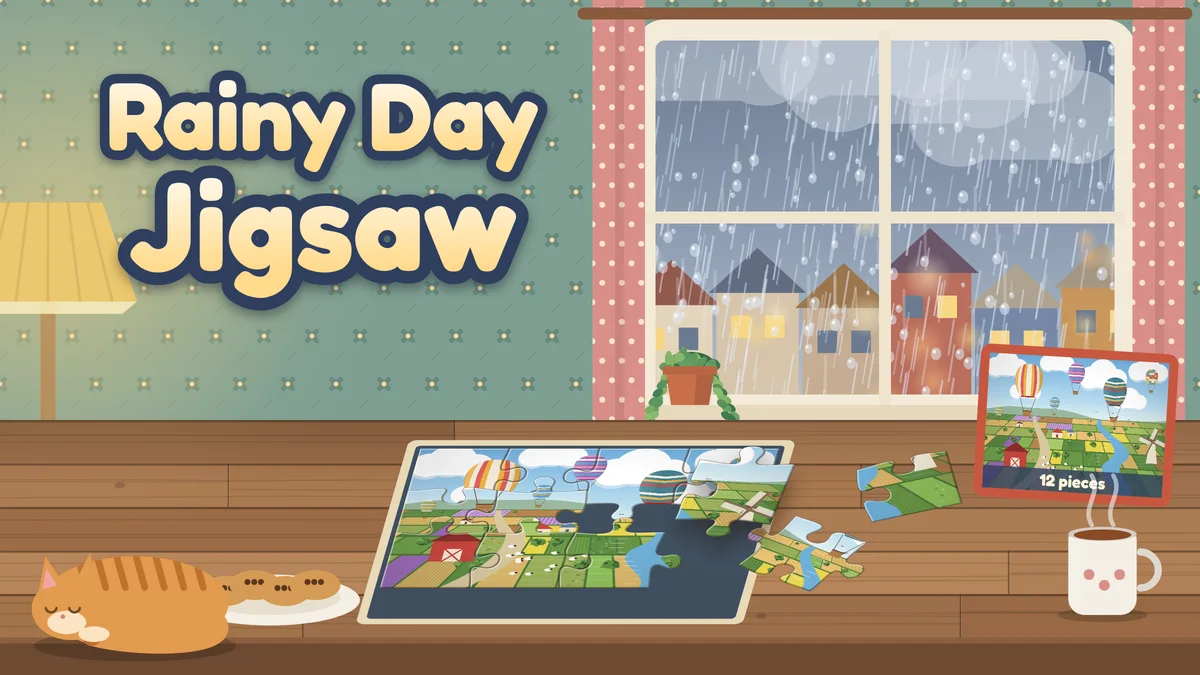
Rainy Day Jigsaw is a calm jigsaw puzzle game with twelve illustrated pictures. Here is how to choose a size, build the border, sort the tray and complete the collection.
Rainy Day Jigsaw is our free jigsaw puzzle game. There are twelve original illustrated pictures, from a sleeping cat on a rainy window seat to hot air balloons over patchwork fields, and each one comes in four sizes. There is no score and no countdown: you fit the pieces together at your own pace, a quiet clock keeps your best time, and every puzzle you start is saved on your device. This guide covers choosing a size, building the edges first, sorting pieces by color and by what is on them, the help tools, the twelve pictures and the collection.
How a puzzle works
Open the puzzle shelf, pick a picture and choose how many pieces you want. The picture is cut into classic jigsaw pieces with tabs and blanks, and the pieces wait, shuffled, in a tray beside the board (under it on a phone held upright). Every piece is already the right way up, so you never need to turn one.
Drag a piece onto the board. If it lands within roughly a third of a piece of its own spot, it snaps in with a soft click and stays there for good. Anywhere else, it goes back to its place in the tray, so nothing ever gets lost on the table. You can also tap a piece to select it and then tap the spot where you think it goes; if it belongs somewhere else, the game says so and the piece stays selected for another try.
The clock at the top only records how long a puzzle took. It runs while the puzzle is on screen and stops when you pause, switch tabs or go back to the shelf.
Choosing a size
Every picture comes in 12 pieces (4 across, 3 down), 24 pieces (6 by 4), 48 pieces (8 by 6) and 96 pieces (12 by 8). Twelve pieces make a gentle warm-up, 24 and 48 are a relaxed sitting, and 96 is the long one for a big screen.
Pieces need to be big enough to drag comfortably, so the game turns off any size whose pieces would be smaller than 40 pixels on the board. On most phones that means 12, 24 or 48 pieces, and on the narrowest phones 12 or 24; tablets and computers offer all four. A turned-off size says so on its button.
Each size of a picture is its own puzzle with its own best time, and several can be in progress at once. Choosing a size you already started continues it. Starting a picture from the shelf cuts it afresh, so a picture you have finished is a new puzzle next time.
Edges first
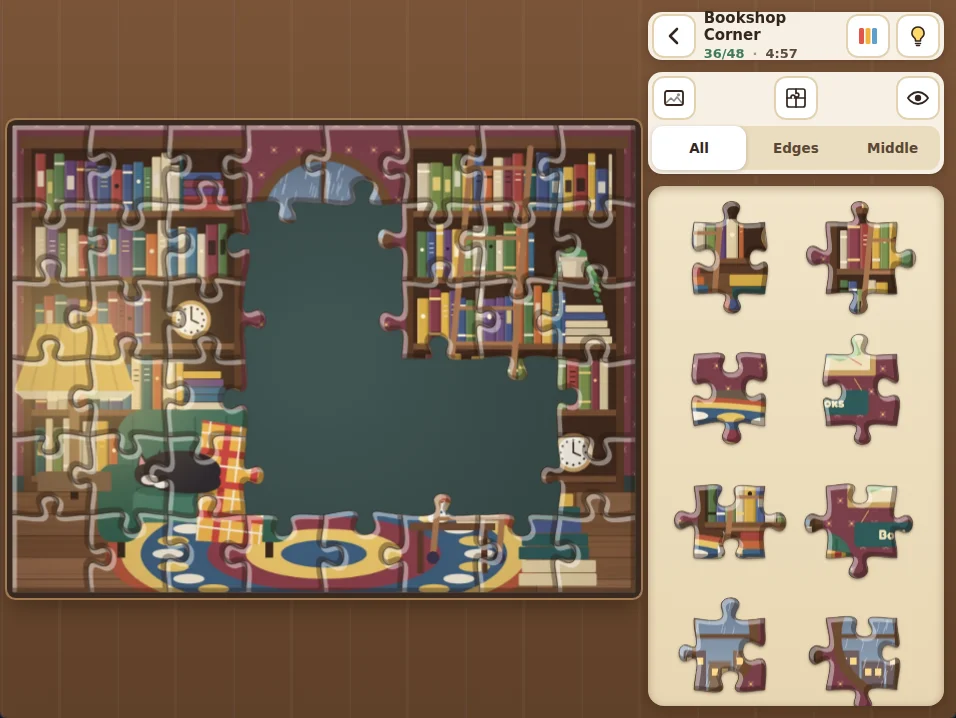
The classic way into a jigsaw is the border. Pieces on the edge of the picture have at least one straight side, and the tray filter can show only those: choose Edges (or press F on a keyboard). A 12-piece puzzle has 10 border pieces, 24 pieces have 16, 48 have 24 and 96 have 36.
Start with the four corners, the pieces with two straight sides, then join the sides between them. With the frame done, switch the filter to Middle to see only the pieces that are left, or back to All.
Sorting by color and by features
The button with three colored bars, in the top bar, sorts the tray by color: pieces are grouped from reds through yellows, greens and blues to pinks, with the grays and whites at the end. Press it again to go back to a mixed shuffle. Working one color family at a time, such as the blue of a sky or the red of an awning, is much quicker than searching the whole tray.
Features that run across pieces help just as much. Follow a window frame, a row of book spines, a line of bunting, a path, the stripes of a balloon or the edge of a rug. Each picture has plenty of them, and textures like bricks, shingles, planks and knitting are easy to match from piece to piece.
Ghost, peek, outlines and hints
Hold the eye button to peek at the whole picture over the board, and let go to hide it again (on a keyboard, P shows and hides it). The ghost button lays a faint copy of the picture under the board, so you can see where colors and shapes sit without the pieces being given away. The outlines button draws the cut lines of every piece faintly on the board. G and O toggle them from the keyboard.
The lightbulb gives a hint: it picks the piece you have selected (or the one you have focused with the keyboard), or else the first piece in view in the tray, selects it and makes its spot on the board glow for a few seconds. Drag it there or tap the glowing spot to place it. There is no limit on hints and no penalty for using them.
The twelve pictures
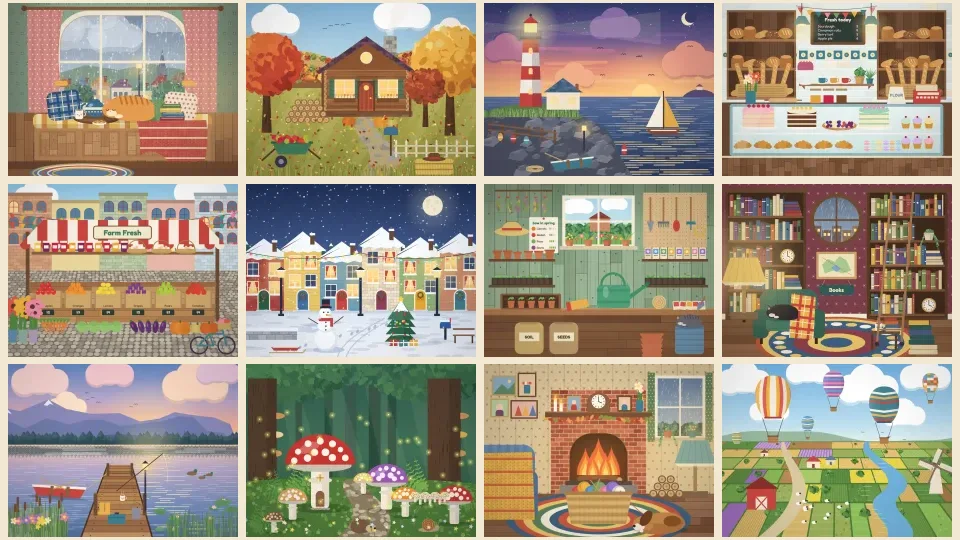
The pictures are original illustrations made for this game: Window Seat (tea, a sleeping cat and rain on the glass), Autumn Cabin (a log cabin under red and gold trees), Lighthouse at Dusk, Bakery Counter, Market Stall (crates of fruit under a striped awning), Snowy Street (lit windows and colored doors in the snow), Potting Shed, Bookshop Corner, Sunrise Dock, Mushroom Forest, Fireside Knitting and Balloon Fields.
Each was drawn with lots of separate regions and small details so that every piece has something to recognize. Busy scenes like the bookshop and the market are good for learning to sort by color; skies, water and snow reward watching the shapes of the tabs instead.
Best times and the collection
Place the last piece and the seams fade as the finished picture glows, then a card shows your time and piece count, and whether it beat your best for that size. From there you can go back to the shelf, look at the finished picture, or play the same picture again with the same cut in a new shuffle.
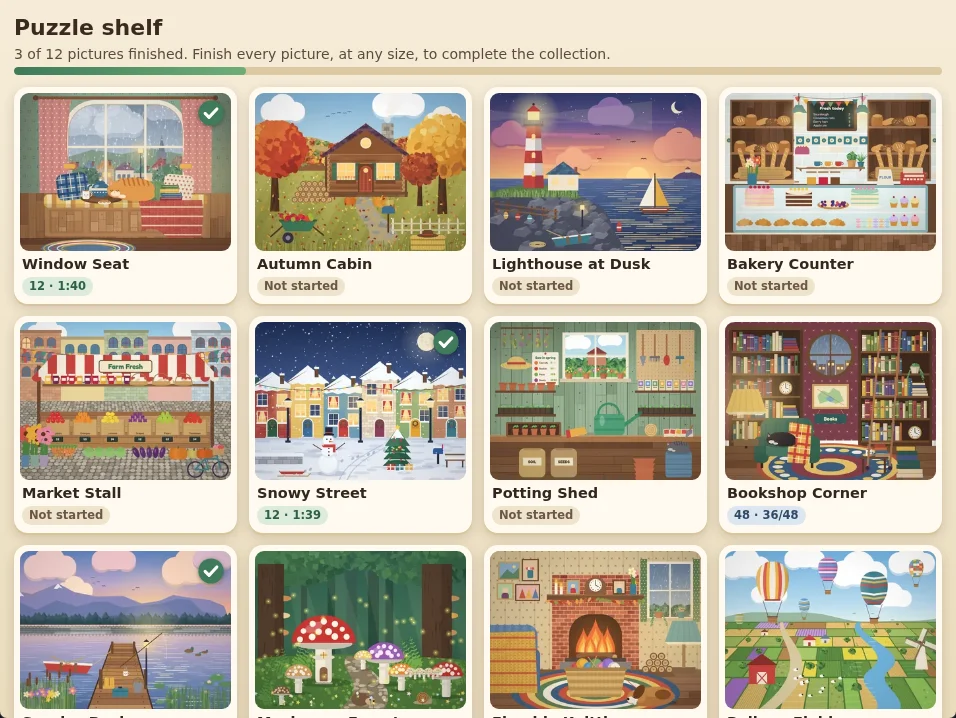
The puzzle shelf shows every picture as a box with a check mark once you have finished it at any size, the best time for each size you have finished and the puzzles you have in progress. Finish all twelve pictures to complete the collection and see the collection card. After that, free play continues and new best times still count.
Controls, saving and accessibility
Mouse: drag pieces, or click a piece and then its spot; the wheel scrolls the tray. Touch: swipe along the tray to scroll it, and to pick a piece up either drag it away from the tray toward the board or touch and hold it for a moment, so scrolling never grabs a piece by accident. Keyboard: Tab to the tray, choose a piece with the arrow keys, press Enter to pick it up, move it one cell at a time with the arrow keys and press Enter to place it (on the wrong cell it goes back to the tray); Escape puts it back. G, O, P, H and F reach the ghost, outlines, peek, hint and filter.
Everything saves on your device: each puzzle in progress with its placed pieces and time, your best times, the finished pictures and your board settings. The restart button in the toolbar puts the current puzzle back into the tray with the same cut and starts its clock again; it never touches your records or collection. We checked the game with automated desktop, phone and keyboard browser runs; these are not tests on physical devices or with real players.
Keep puzzling
Once all twelve pictures have their check marks, the shelf stays open for free play: try a picture again with more pieces, or chase a best time. If you like calm puzzles with a tidy finish, Book Nook Shuffle asks you to sort shelves of books in as few turns as you can.
- Play Rainy Day Jigsaw
- Rainy Day Jigsaw: game details
- Book Nook Shuffle: sort three shelves of books in as few turns as you can
More guides and roundups
Match mahjong tiles, solve sudoku, find hidden words, fit a jigsaw, sort shells or crack firefly codes. Choose a puzzle by the decisions it asks you to make.
Book Nook Shuffle Guide: Sort in Fewer TurnsFour books move together. The interesting part is deciding which shelf can get a little messier before the whole bookcase comes right.
Best Cozy Sorting Games to Play in 2026Want a calm sorting puzzle with tactile pieces, matching sets, and satisfying tidy-up moments? Start with Shell Sort Cove, then try these cozy sorting games.
Best Cozy Organizer Games to Play in 2026If sorting, packing, and putting things exactly where they belong soothes your brain, start with Parcel Post or Book Nook Shuffle and then try these cozy organizer games.