Cozy Puzzle
Potion Pantry Match
Swap neighboring potions to line up three, brew specials and fill every recipe goal before your moves run out.
What you do
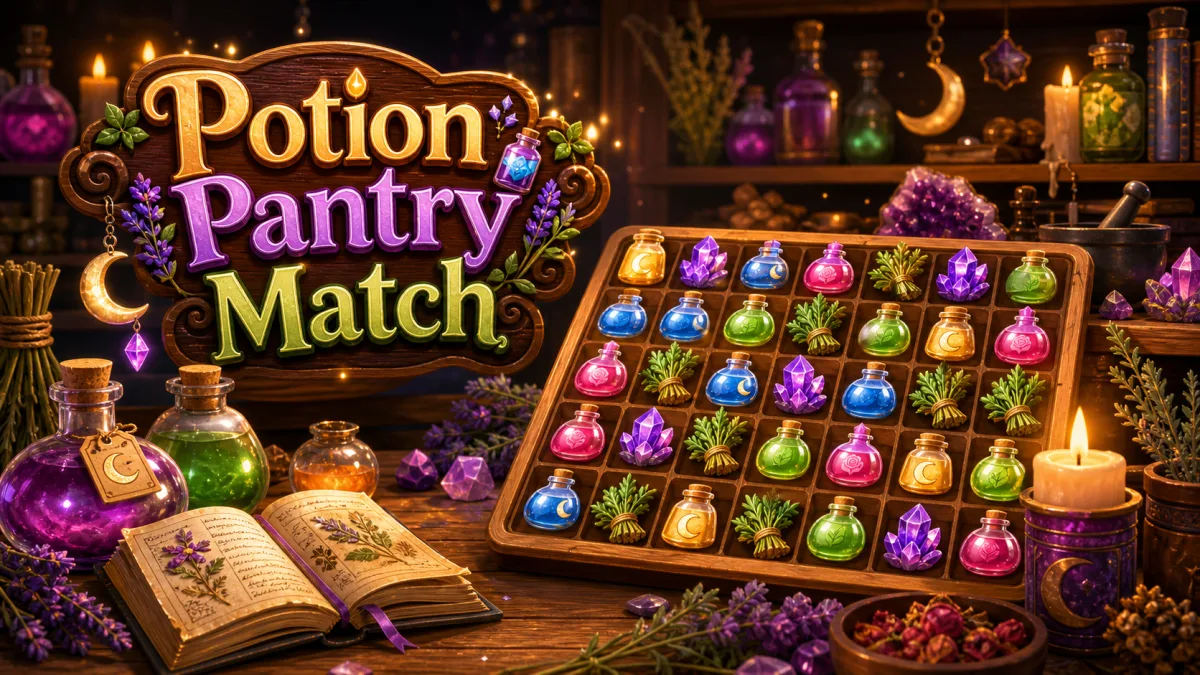
Potion Pantry Match is a cozy swap match-3 on an 8 by 8 witch's pantry shelf of rose, mint and moon potions, herb bundles, amethysts and star candles. Matched pieces pop and fly into the recipe goals above the shelf, and bigger matches brew line potions, bubbling cauldrons and rainbow elixirs. Each of the 30 recipes has up to four goals and a move limit, and later recipes add one idea at a time, from wax seals and dusty shelves to double seals, thick dust and recipes that mix them.
- Special combos: two line potions clear a cross, a line and a cauldron clear three rows and three columns, two cauldrons clear a five by five square, a rainbow turns every piece of a color into the special it is swapped with, and two rainbows sweep the whole shelf.
How to play
- Press Play. The cards above the shelf show each recipe goal and how many are still needed; the purple badge shows the moves you have.
- Swap two neighboring pieces (up, down, left or right) to line up 3 or more of the same ingredient in a row or column. A swap that makes no line slides back and costs nothing.
- Matched pieces clear and count toward the goals, the pieces above fall, new ones drop in from the top, and any new lines clear too.
- Line up 4 for a line potion (its arrows show the row or column it clears), match in an L or T shape for a bubbling cauldron, or line up 5 for a rainbow elixir. Match a special or swap it to set it off; swap two specials together for a bigger blast.
- Later recipes add wax seals (sealed pieces cannot be swapped; a match through or right beside one, or a blast, breaks a layer of wax) and dusty shelves (clear the piece on top, or blast it, to wipe the dust; thick dust needs two wipes).
- Finish every goal before your moves run out to brew the recipe. Moves left become bonus points and decide your moons; run out first and you can try again.
Controls
- Touch: swipe a piece toward the neighbor you want to swap it with, or tap one piece and then a neighbor.
- Mouse: drag a piece toward a neighbor, or click one piece and then a neighbor.
- Keyboard: arrow keys or WASD move the cursor, Space or Enter picks up the piece under it, then an arrow key swaps it that way. Space again puts it down; Escape opens the recipe menu.
- The menu button above the shelf lists the goals and restarts the recipe or opens the pantry shelf of recipes.
- Shared toolbar: pause, restart, sound, help and fullscreen.
Tips worth knowing
- Match low on the shelf: everything above falls, and the new lines that form cost you nothing.
- Look for fours and L shapes before taking a quick three. A line potion through a crowded row often fills a goal on its own.
- Swap two specials into each other. A rainbow elixir swapped with a line potion turns every piece of that color into a line potion.
- Break wax seals with matches right beside them, and save line potions for dust along the edges, where plain matches rarely reach.
- Every move left at the end is worth 100 points and counts toward three moons, so a quick finish beats a big score.
- Stuck? Wait a few seconds and a glowing pair shows one useful swap.
Accessibility
- There is no timer: nothing moves until you swap, so every move can be planned at your own pace.
- Every action works with touch, a mouse or the keyboard; the keyboard cursor and the picked-up piece are outlined.
- Ingredients differ in shape as well as color, goal cards show counts as numbers, and goals and results are announced to screen readers.
- Reduced motion trims particles and turns off screen shake. Sound is never required.
Questions
Can I lose a recipe?
Yes. Every recipe has a move limit. If the goals are not finished when the moves run out, the recipe ends and you can try it again. There is no timer, so you can plan each swap at your own pace.
How do moons work?
Brewing a recipe earns one moon. Finishing with a tenth of the moves left earns two, and a quarter left earns three; the line under the goals shows how many moves to keep, and the results screen repeats it.
What does the game save?
Recipes brewed, your best moons and your best score on each recipe are saved in this browser on this device, and the pantry shelf lets you replay any recipe you have opened. A recipe in progress is not saved. Progress from the earlier version carries over.
Does Potion Pantry Match have lives or energy?
No. It is a free browser puzzle with no lives, energy timers, purchases or accounts.